Zed editor
The optional editor package opens persistent multiline editors backed by Zed's own editor, with independent buffers and undo history. Run the example with make editor.
License notice
The native editor links GPL-3.0-or-later Zed code. An application distributed with it linked in must meet the GPL's requirements for the combined work, including providing corresponding source. Ordinary gpui-go builds do not link it.
Every screenshot on this page is the real editor, opened by the code shown beside it.
A first editor
Call editor.Run once from main, and open editors from its callback:
err := editor.Run(context.Background(), func(ctx context.Context, app *editor.Client) error {
	field, err := OpenCode(ctx, app)
	if err != nil {
		return err
	}
	for {
		event, err := app.NextEvent(ctx)
		if err != nil {
			return err
		}
		if event.Kind == editor.EditorClosed && event.EditorID == field.ID() {
			return nil
		}
	}
})func OpenCode(ctx context.Context, app *editor.Client) (*editor.Editor, error) {
return app.Open(ctx, editor.Options{
Title: "main.go",
Text: goSource,
Width: 620,
Height: 300,
})
}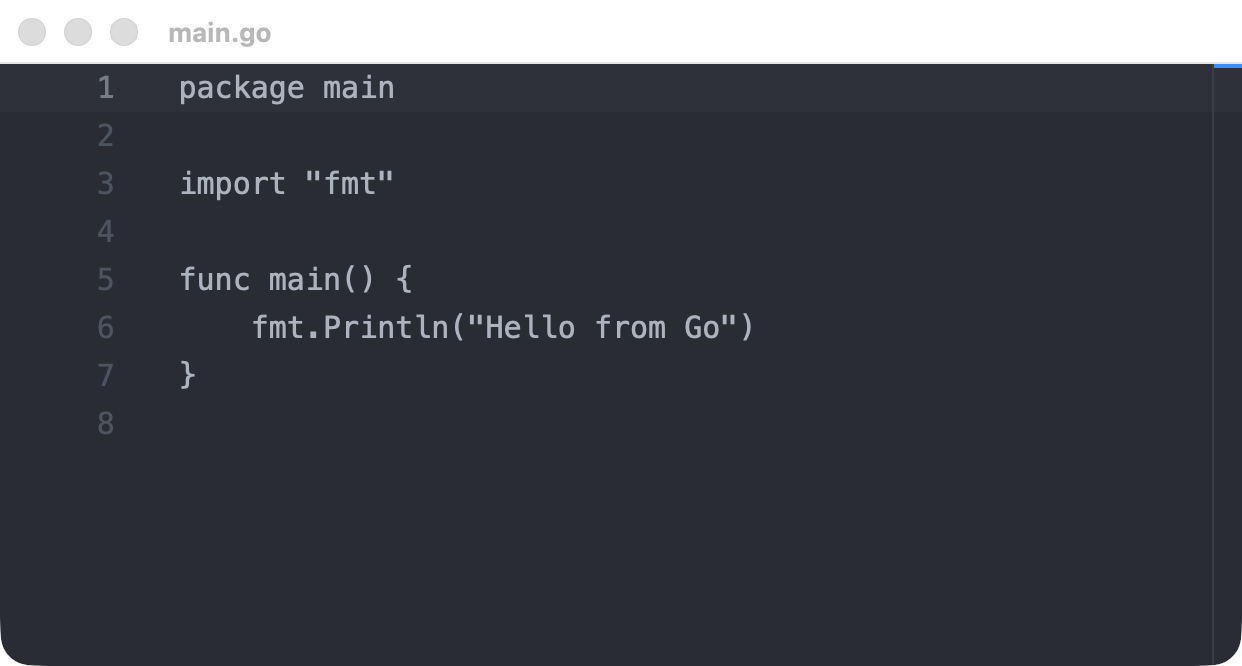
This is plain-text editing, so the code above has no syntax colors. To add them, see Syntax highlighting.
editor.Run owns the process-wide runtime, so it cannot run alongside host.Run. It shows one editor per native window. To put an editor inside your own layout, see Placing an editor inside a view.
Options
editor.Options field | Description |
|---|---|
Title | Window title, at most 1024 bytes. Defaults to Editor |
Text | Initial text. It creates no undo entry |
Width, Height | Window size from 100 to 16384. Zero selects 1000 by 700 |
ReadOnly | Blocks editing by the user |
HideGutter | Hides the line numbers |
DisableSoftWrap | Keeps long lines on one row. Soft wrap is on by default |
WidthTable | How Position counts East Asian Ambiguous characters. See Moving the cursor |
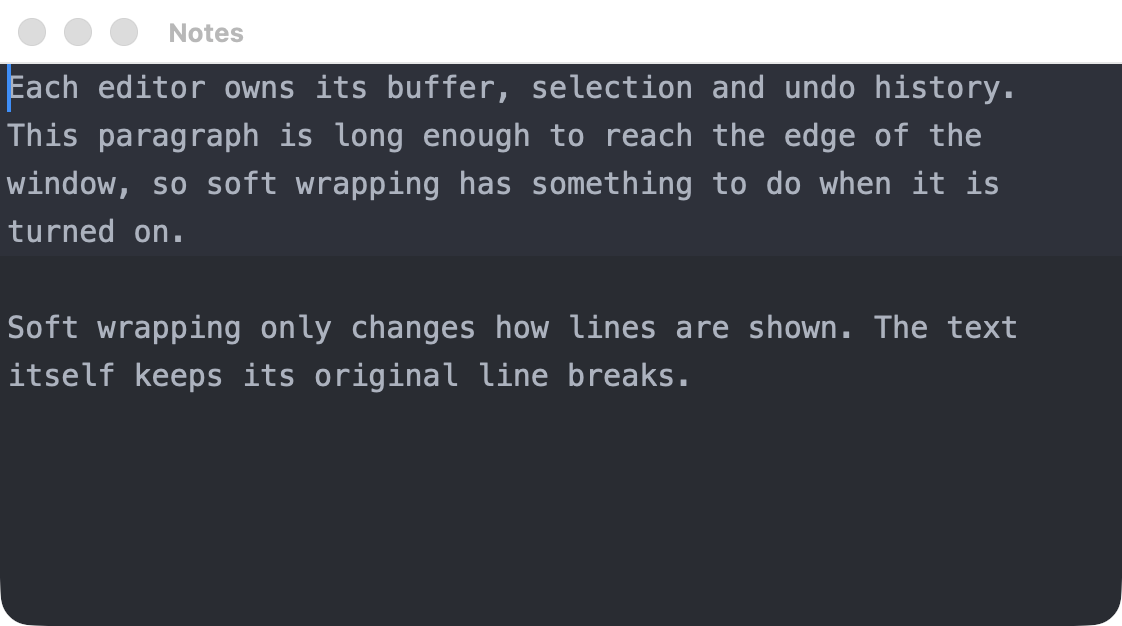
Hide the gutter for prose:
func OpenNotes(ctx context.Context, app *editor.Client) (*editor.Editor, error) {
	return app.Open(ctx, editor.Options{
		Title:      "Notes",
		Text:       prose,
		Width:      560,
		Height:     280,
		HideGutter: true,
	})
}
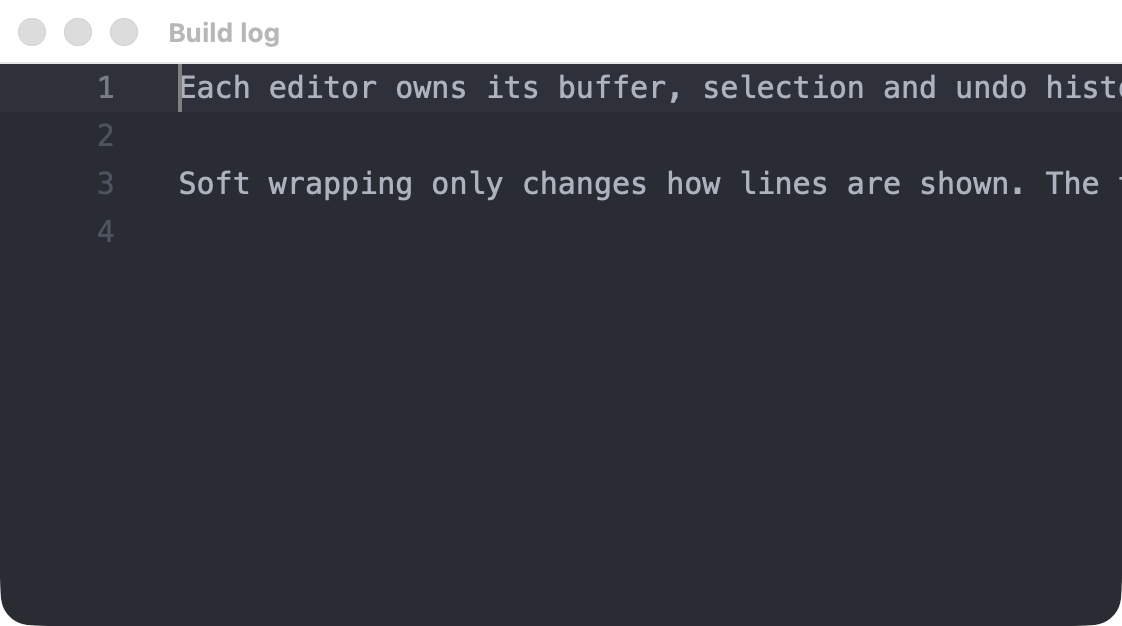
Turn off soft wrap for content with meaningful line lengths:
func OpenLog(ctx context.Context, app *editor.Client) (*editor.Editor, error) {
	return app.Open(ctx, editor.Options{
		Title:           "Build log",
		Text:            prose,
		Width:           560,
		Height:          280,
		ReadOnly:        true,
		DisableSoftWrap: true,
	})
}
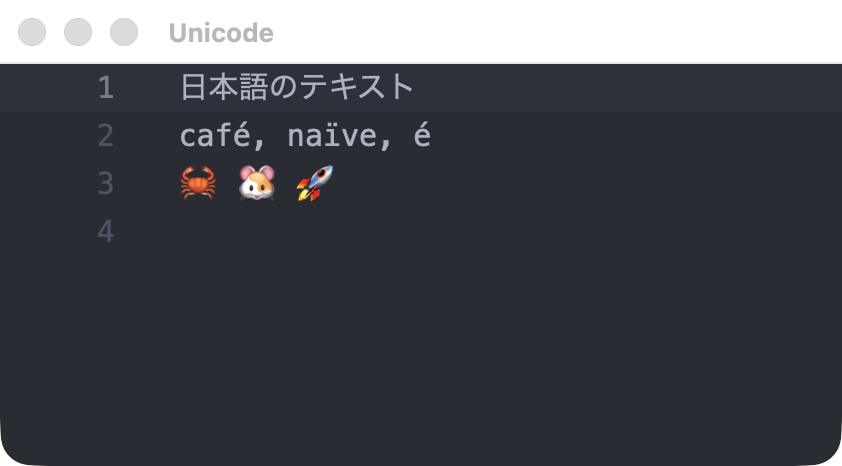
Unicode, including combining sequences and emoji, works as it does in Zed:
Editing from Go
Editor method | Description |
|---|---|
State(ctx) | Returns the current text, revision, read-only flag and selection |
SetText(ctx, text) | Replaces the whole text. Also allowed on a read-only editor |
InsertText(ctx, text) | Replaces the current selections, as one undo step |
SetSelection(ctx, start, end) | Moves the cursor or selects a range, and scrolls it into view |
Undo(ctx), Redo(ctx) | Steps through this editor's history |
SetReadOnly(ctx, value) | Changes whether the user can edit |
Focus(ctx) | Gives the editor keyboard focus |
Close(ctx) | Closes the editor and its window |
ID() | Returns the editor's ID, which events carry |
Each editing command returns a *editor.State snapshot. Its Revision starts at zero and is local to that editor.
func AddHeader(ctx context.Context, field *editor.Editor) (*editor.State, error) {
	return field.InsertText(ctx, "// Generated by Go\n")
}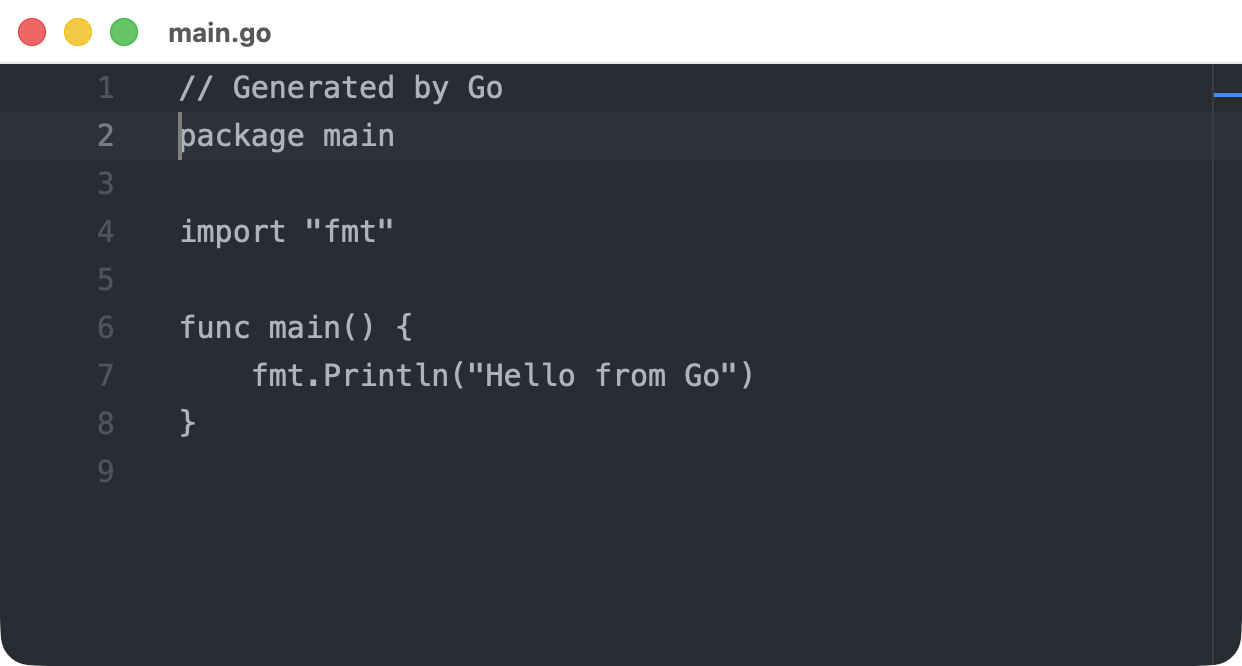
After InsertText, with the caret at the start of a new editor.
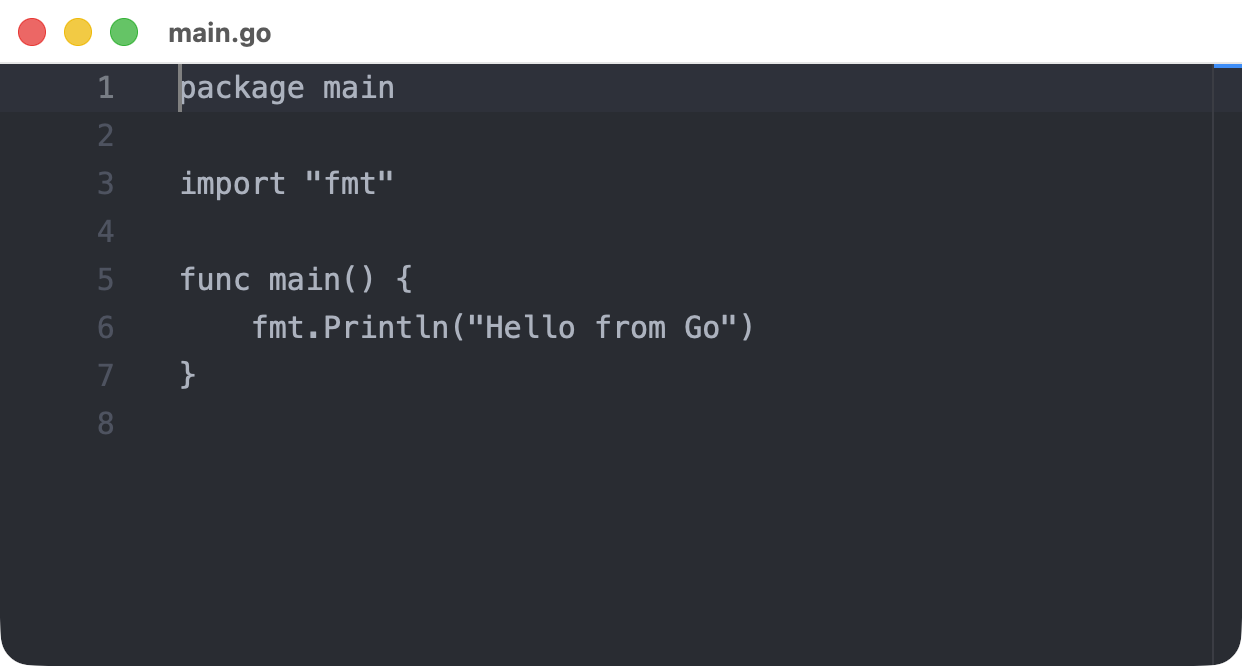
The same window after Undo. The opening text has no undo entry, so a further Undo changes nothing.
Moving the cursor
SetSelection takes two editor.Position values. Pass the same position twice for a plain cursor:
func GoToLine(ctx context.Context, field *editor.Editor, line uint32) (*editor.State, error) {
	caret := editor.Position{Line: line - 1}
	return field.SetSelection(ctx, caret, caret)
}

func SelectWord(ctx context.Context, field *editor.Editor) (*editor.State, error) {
	return field.SetSelection(ctx, editor.Position{Line: 119, Column: 5}, editor.Position{Line: 119, Column: 8})
}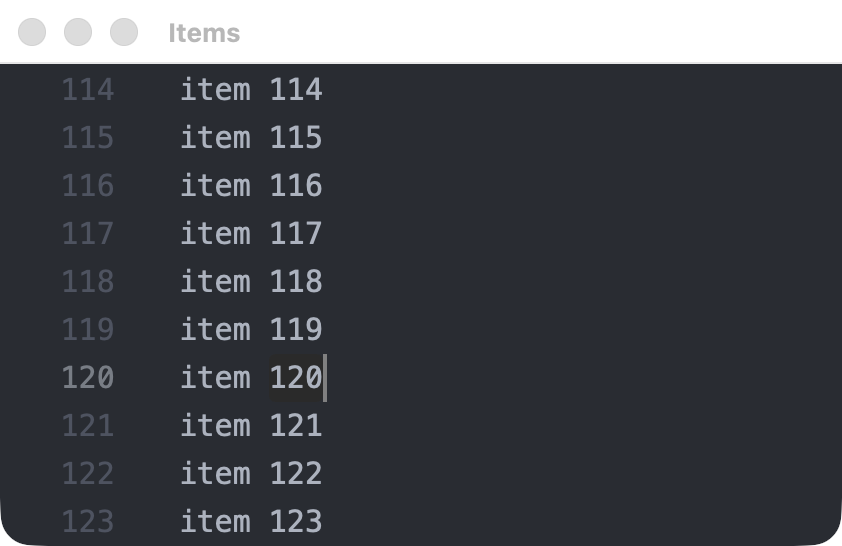
SelectWord in a 200-line buffer. The selection scrolled into view by itself.
editor.Position field | Description |
|---|---|
Line | Zero-based line number |
Column | Zero-based visual column: the cells from the start of the line to this position, as the editor lays them out |
Character | An alternative to Column when setting a selection: Unicode code points from the start of the line, as utf8.RuneCountInString counts them |
Clamp | Where a position inside a wide character, a tab or a grapheme cluster goes |
| Text | Width in Column |
|---|---|
East Asian Narrow, Halfwidth and Neutral characters, including ASCII and ア | 1 |
East Asian Wide and Fullwidth characters such as 日 and A, and emoji | 2 |
East Asian Ambiguous characters such as α and → | Set by the editor's WidthTable |
| A tab | Up to its next tab stop |
| A combining mark | 0, it shares its base character's cell |
| A control or invisible character | 1, for the placeholder the editor paints |
On a line holding "\t日\tz", with the default tab size of 4, z is at column 9. Zed places a tab stop by counting characters rather than cells, so the 日 before the second tab does not move that stop. Column reports where the tab really ended, not a multiple of the tab size.
Set WidthTable in Options or EmbedOptions to choose how ambiguous characters count:
WidthTable | α, Я, é | ●, →, ① |
|---|---|---|
editor.WidthNarrowAmbiguous (default) | 1 | 1 |
editor.WidthWideAmbiguous | 2 | 2 |
editor.WidthWideSymbols | 1 | 2 |
The table changes only the count. Zed draws each glyph from the font, so pick the table closest to the font in use. Menlo draws all of these one cell wide, which suits the default. A Japanese font such as BIZ UDGothic draws α, Я, ● and → two cells wide, which suits editor.WidthWideAmbiguous, but it draws é one cell wide. No table matches every font. editor.WidthWideAmbiguous follows the Unicode table exactly, while editor.WidthWideSymbols also counts a few Neutral characters such as ⅐ as 2.
A column is a count of cells, in the sense a terminal uses, and not a pixel offset. Characters from a fallback font can be drawn a little narrower than two cells: with the default fonts on macOS, 日 is drawn at about 1.7, so text after it sits slightly left of the same column on an ASCII line.
Column is not an index into a Go string. Line stays a buffer line, so a soft-wrapped line keeps one count across its wrapped rows and resizing the window does not change it.
A position outside the buffer or inside a tab or a character returns InvalidArgument, and so does a start after the end. To accept a column that falls inside a wide character or a tab, set Clamp on that position:
Position.Clamp | A column inside a wide character or a tab |
|---|---|
editor.ClampNone (default) | Returns InvalidArgument |
editor.ClampBefore | Moves before it in text order |
editor.ClampAfter | Moves after it in text order |
Each end has its own Clamp, so a range can grow to whole characters. On a line starting with 日, which covers columns 0 and 1, this selects it:
start := editor.Position{Line: 3, Column: 1, Clamp: editor.ClampBefore}
end := editor.Position{Line: 3, Column: 1, Clamp: editor.ClampAfter}
state, err := field.SetSelection(ctx, start, end) // Columns 0 to 2.Line, Column, Character and Clamp all follow text order. On a right-to-left line, column 0 is the first character of the text, drawn at the right, and ClampBefore moves toward the right of the screen. Column measures how far along the text a position is, not its distance from the left edge.
Character is the easier choice when you already have a count from Go text. A tab and a wide character are one character each, so on a line holding "\t日\tz", Character: 3 is the z at column 9. A count that falls inside a grapheme cluster, such as between e and a combining accent, follows Clamp. Setting both Column and Character to nonzero values returns InvalidArgument. State.Selection always reports Column and leaves Character at zero.
Clamp only applies inside a character or tab. A column past the end of the line is still an error, and a start that ends up after its end once clamped is too. State.Selection always reports positions with Clamp unset. Nothing is clamped. The end of the last line is a valid position, including the empty line after a trailing newline.
SetSelection replaces any multiple cursors with one selection, works on a read-only editor and does not move keyboard focus. Follow it with InsertText to edit at that spot.
State.Selection reports the newest selection, with Start never after End. Moving a selection does not change Revision and emits no Changed event, so read State when you need the current position. Changed events also carry the selection at the time of the edit.
Reacting to changes
NextEvent delivers changes in order. Use a single consumer for it, though commands themselves can run concurrently.
Event.Kind | Meaning | Fields |
|---|---|---|
editor.Changed | The text or read-only state changed | EditorID, State |
editor.EditorClosed | The window was closed | EditorID |
editor.Failed | The editor reported an error | EditorID, Error |
Editors are independent, and each event names the one it came from. This loop mirrors one editor into a read-only preview:
// Mirror copies every edit in source to preview, in uppercase, until ctx ends.
func Mirror(ctx context.Context, app *editor.Client, source, preview *editor.Editor) error {
	for {
		event, err := app.NextEvent(ctx)
		if err != nil {
			return err
		}
		switch {
		case event.Kind == editor.Failed:
			return event.Error
		case event.Kind == editor.EditorClosed && event.EditorID == source.ID():
			return nil
		case event.Kind == editor.Changed && event.EditorID == source.ID():
			if _, err := preview.SetText(ctx, strings.ToUpper(event.State.Text)); err != nil {
				return err
			}
		}
	}
}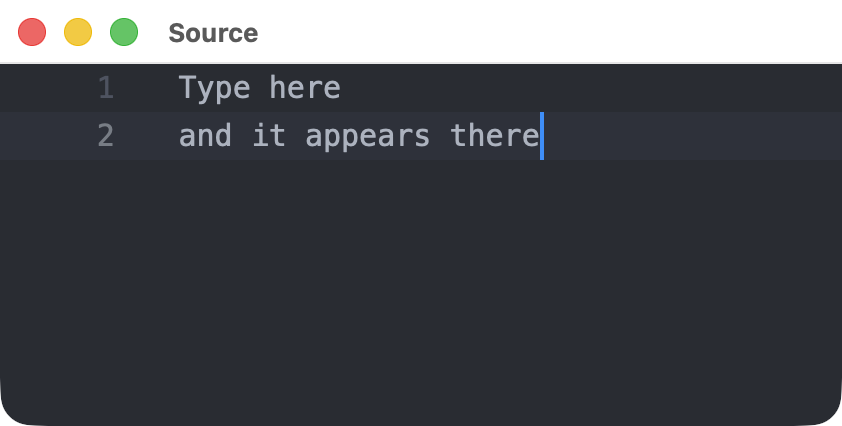
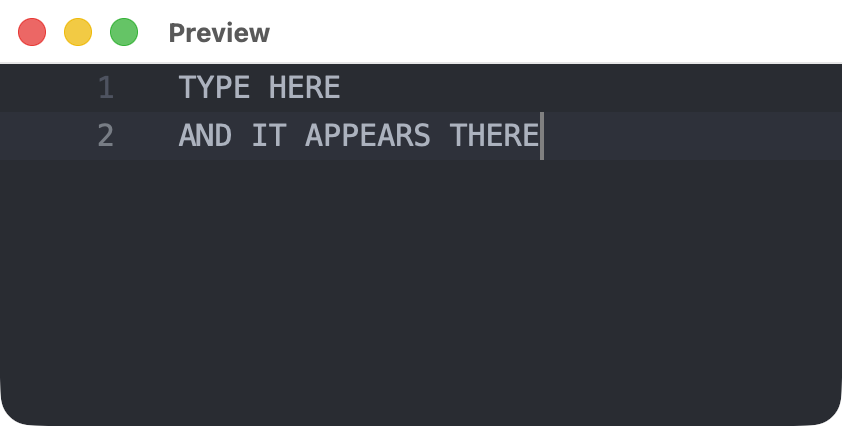
The preview's own SetText also produces a Changed event, so the loop checks EditorID.
Events have no acknowledgement or replay guarantee, unlike the generic event stream. A canceled command may already have been applied, so do not retry mutations automatically.
Placing an editor inside a view
An editor can sit inside a scene.Div next to ordinary elements. This uses host.Run, the same as any other gpui-go application, with the editor added to it.
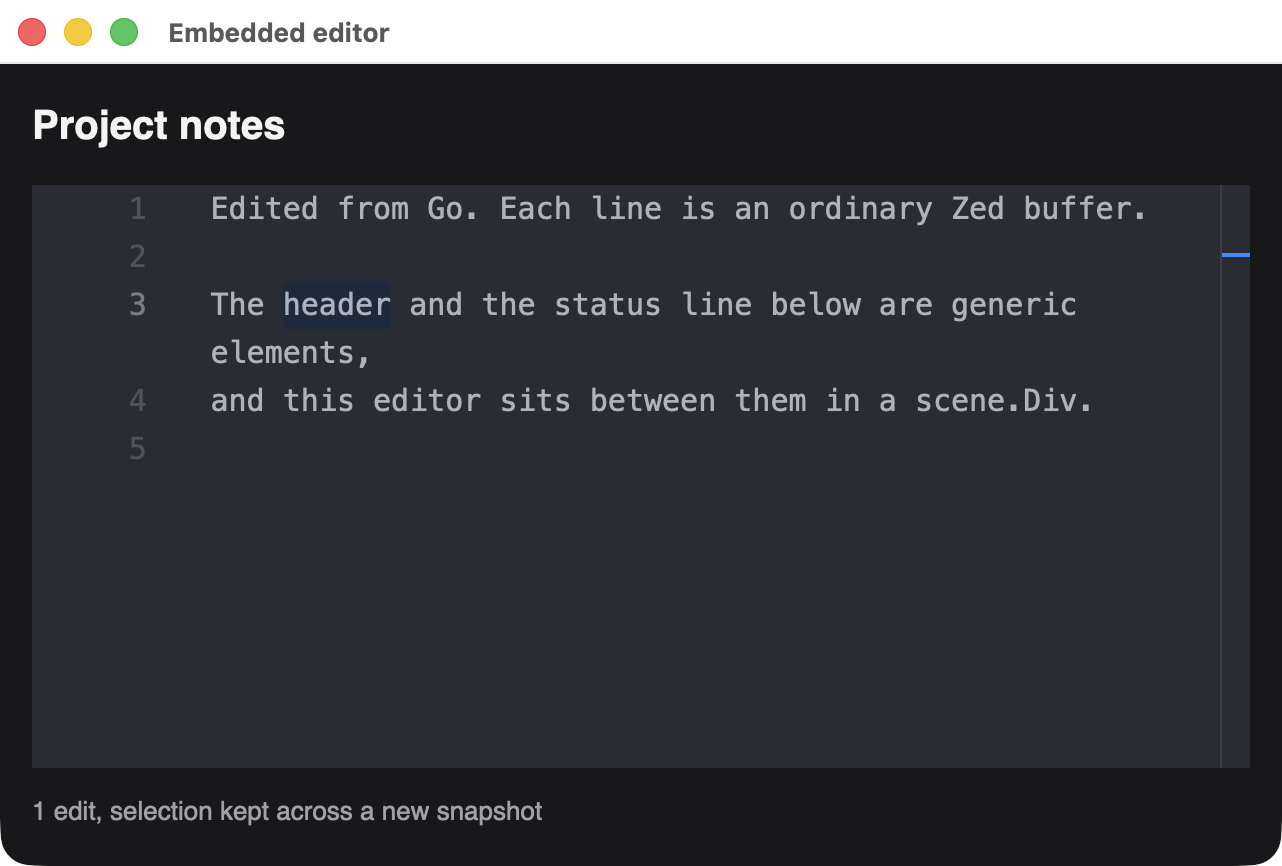
A heading, a live editor and a status line in one scene.Div.
An editor is created inside a window, so open the window first, then add the editor in a later view:
err := host.Run(ctx, func(ctx context.Context, app *client.Client) error {
	window, err := app.OpenWindow(ctx, client.WindowOptions{Title: "Notes", Width: 640, Height: 400}, scene.Div(1))
	if err != nil {
		return err
	}
	editors, err := editor.Attach(ctx)
	if err != nil {
		return err
	}
	field, err := editors.OpenEmbedded(ctx, window, editor.EmbedOptions{Text: notes})
	if err != nil {
		return err
	}
	if err := window.Set(ctx, render(field, "0 edits")); err != nil {
		return err
	}
	// Handle GPUI and editor events here.
})
Refer to the editor from your view with scene.Embedded, passing its ID. Give it a size through its style, as with any element:
func render(field *editor.Editor, status string) *scene.Node {
	return scene.Div(1,
		scene.Text(2, "Project notes").Style(&scene.Style{FontSize: scene.Ptr[float32](20), FontWeight: scene.Ptr[uint32](600)}),
		scene.Embedded(3, field.ID()).Style(&scene.Style{
			Width: scene.Percent(100), FlexGrow: scene.Ptr[float32](1),
		}),
		scene.Text(4, status).Style(&scene.Style{FontSize: scene.Ptr[float32](13), TextColor: scene.RGB(0xa1a1aa)}),
	).Style(&scene.Style{
		Width: scene.Percent(100), Height: scene.Percent(100), Padding: scene.Padding(16), Gap: scene.Pixels(12),
		FlexDirection: scene.FlexColumn.Enum(), Background: scene.RGB(0x18181b), TextColor: scene.RGB(0xf4f4f5),
		FontSize: scene.Ptr[float32](15),
	})
}
The field handle has every method from Editing from Go, and editors.NextEvent reports its changes.
| Behavior | Details |
|---|---|
| New snapshots | The native editor persists, so text, selection and undo history carry over |
| Leaving the view | Removing the element hides the editor without destroying it. Put it back to show it again |
| Closing | field.Close destroys it. Closing the window destroys every editor inside it, and each one reports EditorClosed |
| Placement rules | An editor appears at most once per view, and only in the window it was created in. Other placements make window.Set fail and leave the previous view in place |
| Events | Generic events and editor events are separate streams. See examples/editor-embed for one goroutine handling both |
Building with an embedded editor
This links the generic backend and the GPL editor into one archive, so the license notice applies to your whole application. Ordinary builds are unaffected.
CARGO_TARGET_DIR=target/zed-editor \
cargo build --locked --manifest-path rust/zed-editor/embed/Cargo.tomlCGO_LDFLAGS="/path/to/gpui-go/target/zed-editor/debug/libgpui_go_zed_editor_embed.a" \
go build -a -mod=mod -tags gpui,sable_extern_lib,sable_portable,gpui_zed_editor_embed -o app .From a checkout, make editor-embed runs the example. Without the gpui_zed_editor_embed tag, editor.Attach returns ErrNativeUnavailable, and a backend without the feature rejects scene.Embedded.
Building
Build the host from a checkout, then link it with the editor tags:
CARGO_TARGET_DIR=target/zed-editor \
cargo build --locked --manifest-path rust/zed-editor/host/Cargo.tomlCGO_LDFLAGS="-L/path/to/gpui-go/target/zed-editor/debug -lgpui_go_zed_editor_host" \
go build -a -mod=mod -tags gpui_zed_editor,sable_extern_lib,sable_portable -o app .The first build compiles Zed's editor and takes a while. Without these tags the program still compiles, and editor.Run returns ErrNativeUnavailable. Prebuilt modules never include this backend.
Limits
| Limit | Value |
|---|---|
| Text per editor | 1 MiB |
| Open editors | 64 |
Syntax grammars, language servers and file or project services are not configured. See Extending the editor for how to add them, or embed the Rust component directly.
Extending the editor
The editor ships as plain text on purpose, but it wraps Zed's full editor::Editor, so more of Zed can be switched on. Your changes become part of the GPL-licensed component described in the license notice above.
Where changes go
An option that Go can use crosses four layers. Work through them in this order:
| Layer | File | Role |
|---|---|---|
| Rust component | rust/zed-editor/src/lib.rs | The editing behavior, with no knowledge of Go |
| Protocol | proto/gpui/editor/v1/editor.proto | The versioned messages between Go and Rust |
| Rust host | rust/zed-editor/host/src/lib.rs | Turns messages into component calls, and validates them |
| Go client | editor/editor.go | The public editor API |
A Rust application that embeds the component directly only needs the first layer. Go and Rust only ever exchange protobuf messages, so add new fields with new numbers instead of passing anything else across.
Syntax highlighting
Zed ships grammars and highlight queries for common languages. These steps add a Language option for Go source.
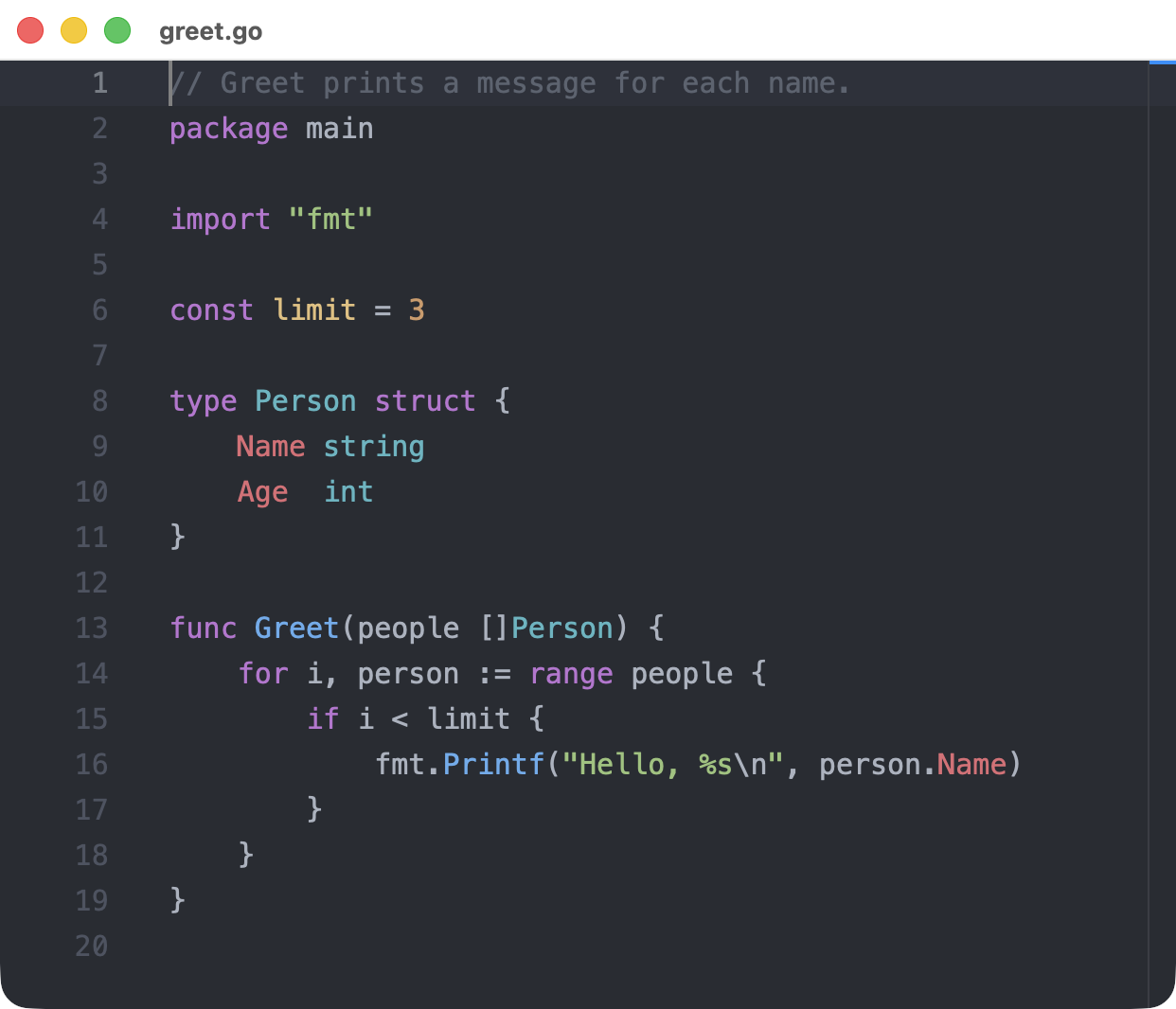
The real editor, opened with Language: "go" after following these steps.
1. Add the dependencies
In rust/zed-editor/Cargo.toml, use the same Zed revision as the other dependencies. The grammar's revision comes from Zed's own Cargo.toml.
[dependencies]
anyhow = "1"
grammars = { git = "https://github.com/zed-industries/zed", rev = "e231594b6b8818ea8d668ee2eb73e1fb09300654" }
theme = { git = "https://github.com/zed-industries/zed", rev = "e231594b6b8818ea8d668ee2eb73e1fb09300654" }
tree-sitter-go = { git = "https://github.com/zed-industries/tree-sitter-go", rev = "6862a49e3c5a7567a6c576420e9a8f944e198a85" }
2. Load the language and apply it
In rust/zed-editor/src/lib.rs, build a Language from the bundled grammar and queries. It needs the theme's colors, or everything renders in one color.
use language::Language;
use std::sync::Arc;
use theme::ActiveTheme;

/// Build a highlighted language from the grammars bundled with Zed.
pub fn load_language(name: &str, cx: &App) -> anyhow::Result<Arc<Language>> {
    let grammar = match name {
        "go" => tree_sitter_go::LANGUAGE,
        other => anyhow::bail!("no grammar for language {other:?}"),
    };
    let language = Language::new(grammars::load_config(name), Some(grammar.into()))
        .with_queries(grammars::load_queries(name))?;
    language.set_theme(cx.theme().syntax());
    Ok(Arc::new(language))
}
Then add a method to EditorComponent:
/// Parse this editor's buffer as `language` and highlight it.
pub fn set_language(&mut self, language: Arc<Language>, cx: &mut Context<Self>) {
    self.editor.update(cx, |editor, cx| {
        if let Some(buffer) = editor.buffer().read(cx).as_singleton() {
            buffer.update(cx, |buffer, cx| buffer.set_language(Some(language), cx));
        }
    });
}
A Rust application can stop here, calling load_language and set_language from its own view.
3. Add the protocol field
message Open {
  // ...existing fields...
  bool soft_wrap = 7;
  string language = 8;
}
4. Apply it in the host
In the Open branch of rust/zed-editor/host/src/lib.rs, load the language right after validation, so that an unknown name fails before a window opens:
let language = if value.language.is_empty() {
    None
} else {
    Some(
        gpui_go_zed_editor::load_language(&value.language, cx)
            .map_err(|e| error(ErrorCode::InvalidArgument, e.to_string()))?,
    )
};
Inside the window closure, once the component exists:
if let Some(language) = language {
    component.update(cx, |component, cx| component.set_language(language, cx));
}
5. Expose it in Go
In editor/editor.go, add Language string to Options, and pass it in the pb.Open message that Client.Open sends:
&pb.Open{Language: options.Language, Title: options.Title /* ...existing fields... */}6. Build and use it
Regenerate the protobuf code, then build once without --locked so that Cargo records the new packages. That adds only grammars and tree-sitter-go to the lockfile. Do not run cargo update, which would move other pinned dependencies.
make generate
CARGO_TARGET_DIR=target/zed-editor cargo build --manifest-path rust/zed-editor/host/Cargo.toml
make editorfield, err := app.Open(ctx, editor.Options{Title: "greet.go", Text: source, Language: "go"})An unknown name returns an error with InvalidArgument, such as no grammar for language "cobol".
Adding more languages
Each language needs its grammar crate and one more match arm. The name must match a directory in Zed's crates/grammars/src, such as rust, python, json, yaml, bash, c, cpp, css or typescript. Copy each crate's version from Zed's Cargo.toml.
Only Go has been run so far. The others follow the same pattern, but a language that embeds another, such as Markdown, may need a language registry as well. Each grammar also adds to build time and binary size.
Fonts and other settings
The host passes Zed's settings as JSON in initialize, in rust/zed-editor/host/src/lib.rs. To change the font size, add a key to that string:
store.set_user_settings(r#"{"buffer_font_size":24,"buffer_font_family":"Menlo", ...}"#, cx);Any Zed setting the editor reads can go here. Options set per editor from Go, such as HideGutter, are separate and live in EditorComponent::new.
Saving to files
This one needs no Rust. The Go client already delivers the whole text with every change:
// SaveOnChange writes each edit in field to path until the editor closes.
func SaveOnChange(ctx context.Context, app *editor.Client, field *editor.Editor, path string) error {
	for {
		event, err := app.NextEvent(ctx)
		if err != nil {
			return err
		}
		if event.EditorID != field.ID() {
			continue
		}
		switch event.Kind {
		case editor.Changed:
			if err := os.WriteFile(path, []byte(event.State.Text), 0o644); err != nil {
				return err
			}
		case editor.Failed:
			return event.Error
		case editor.EditorClosed:
			return nil
		}
	}
}
Run it instead of your usual event loop. For large files, write less often than every keystroke, since each event carries the full text.
New commands from Go
To add an operation such as "select all", follow an existing command like SetReadOnly through the layers:
- Add a message and a new
oneof commandfield ineditor.proto. - Add a method on
EditorComponent. Usenative_editor()to reach Zed's API. - Add a match arm for the command in the host.
- Add a method on
Editorineditor/editor.gothat usesstateCommand. - Exercise it in
examples/editor/smoke.go, because a fake transport cannot prove what Zed does.
After a change that does not emit Zed's buffer-edited event, call state so that Go sees the new revision.
Key bindings
bind_default_keys in rust/zed-editor/src/lib.rs installs a basic set of macOS shortcuts using cmd. For Linux or Windows, or for more commands, add entries beside them using Zed's actions, in the Editor context:
KeyBinding::new("ctrl-a", SelectAll, Some("Editor")),Larger enhancements
These have no tested recipe yet:
| Enhancement | What it involves |
|---|---|
| Other themes | The host loads only Zed's base theme, through LoadThemes::JustBase. Others need the theme assets loaded and selected |
| Language servers | EditorComponent::new passes no Project to Zed. Completions and diagnostics need a project and language server setup |
Checking your change
cargo fmt --manifest-path rust/zed-editor/Cargo.toml --all
cargo clippy --locked --manifest-path rust/zed-editor/Cargo.toml --workspace -- -D warnings
make editor-smoke
go test ./editor
make editor-smoke drives real Zed editors through commands, but it does not type. Try keyboard and IME changes by hand with make editor.
Go's build cache does not track the Rust archive, so keep -a when you link your own program.