Text
A text element displays one string in a single style.
go
title := scene.Text(1, "Welcome back").Style(&scene.Style{
	FontSize:   scene.Ptr[float32](24),
	FontWeight: scene.Ptr[uint32](600),
	TextColor:  scene.RGB(0xf4f4f5),
})
Signature
text
func Text(id uint64, text string) *Node| Parameter | Description |
|---|---|
id | Stable nonzero element ID |
text | The string to display. It is shown literally, with no markup or escaping |
Styling
These properties apply to the text and are inherited by descendants, so you can set them once on an ancestor:
| Property | Notes |
|---|---|
TextColor | Text color |
FontSize | Logical pixels |
FontWeight | 100 to 900 |
FontFamily | A system font, or one uploaded as a resource |
Italic | Italic style |
TextAlign | Left, center or right |
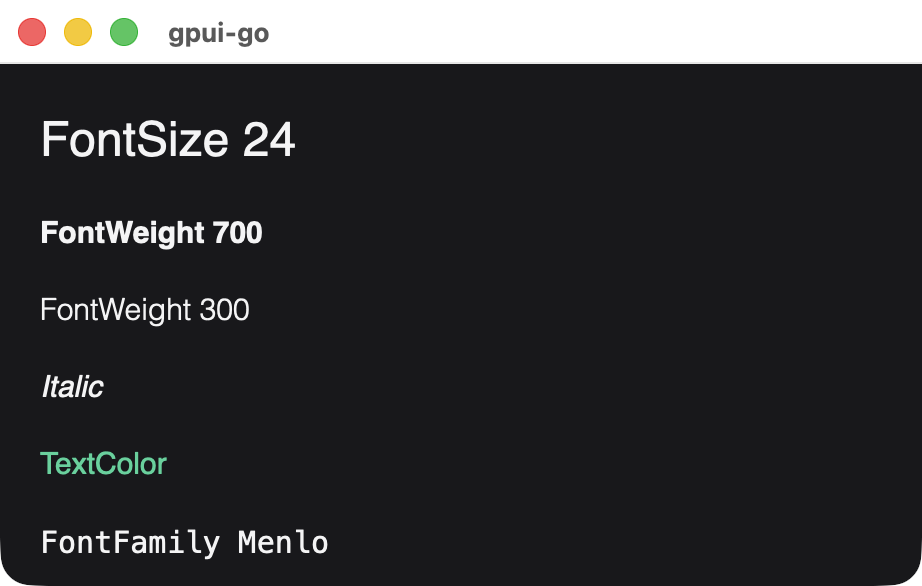
The root element of every view starts with the Helvetica font family until a style sets another.
Mixed styles within one string are not supported. To combine styles on one line, put several text elements in a row container.
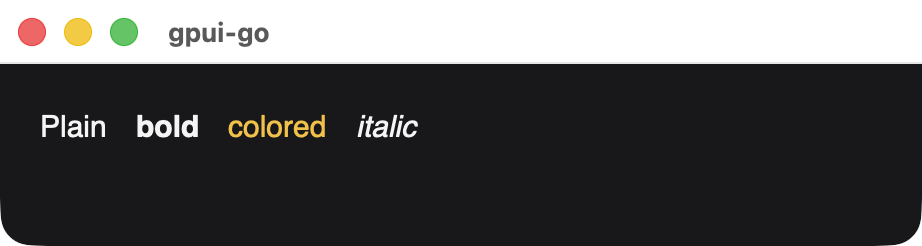
Four text elements in a row container.
Text cannot have children. It accepts the common node methods, including OnClick and Hover.