Canvas
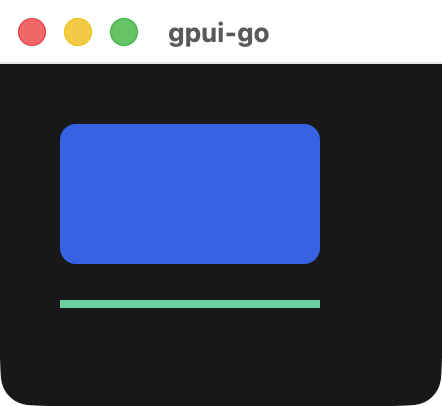
Paints rectangles and vector paths from a list of commands. The commands travel in the snapshot and run entirely in Rust, so no Go callback runs during painting.
go
chart := scene.Canvas(1,
	&scene.DrawCommand{Kind: &scene.DrawCommandRect{Rect: &scene.DrawRect{
		Bounds: &scene.Bounds{
			Origin: &scene.Point{X: 10, Y: 10},
			Size:   &scene.Size{Width: 130, Height: 70},
		},
		Fill:   scene.RGB(0x2563eb),
		Radius: 8,
	}}},
	&scene.DrawCommand{Kind: &scene.DrawCommandPath{Path: &scene.DrawPath{
		Color:       scene.RGB(0x34d399),
		StrokeWidth: 4,
		Steps: []*scene.PathStep{
			{Verb: scene.PathMove, Point: &scene.Point{X: 10, Y: 100}},
			{Verb: scene.PathLine, Point: &scene.Point{X: 140, Y: 100}},
		},
	}}},
).Style(&scene.Style{
	Width:  scene.Pixels(160),
	Height: scene.Pixels(120),
})
Signature
text
func Canvas(id uint64, commands ...*DrawCommand) *NodeCoordinates are logical pixels relative to the element's top-left corner, and drawing is clipped to the element. The canvas fills its box, so set Width and Height. Commands paint in order, later ones on top. A canvas cannot have children.
Rectangle
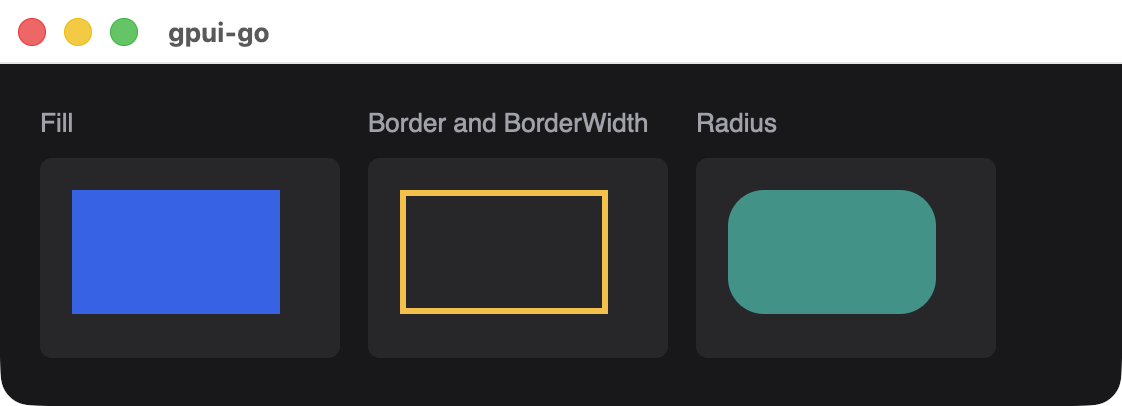
scene.DrawCommandRect wraps a scene.DrawRect:
| Field | Type | Description |
|---|---|---|
Bounds | *scene.Bounds | Required Origin and Size. Width and height cannot be negative |
Fill | *scene.Color | Fill color. Transparent if nil |
Border | *scene.Color | Border color. Transparent if nil |
BorderWidth | float32 | Border width, at least 0 |
Radius | float32 | Corner radius, at least 0 |
Path
scene.DrawCommandPath wraps a scene.DrawPath:
| Field | Type | Description |
|---|---|---|
Steps | []*scene.PathStep | Required. The first step must be scene.PathMove |
Color | *scene.Color | Paint color. Transparent if nil |
StrokeWidth | float32 | 0 fills the path. A larger value strokes it at that width |
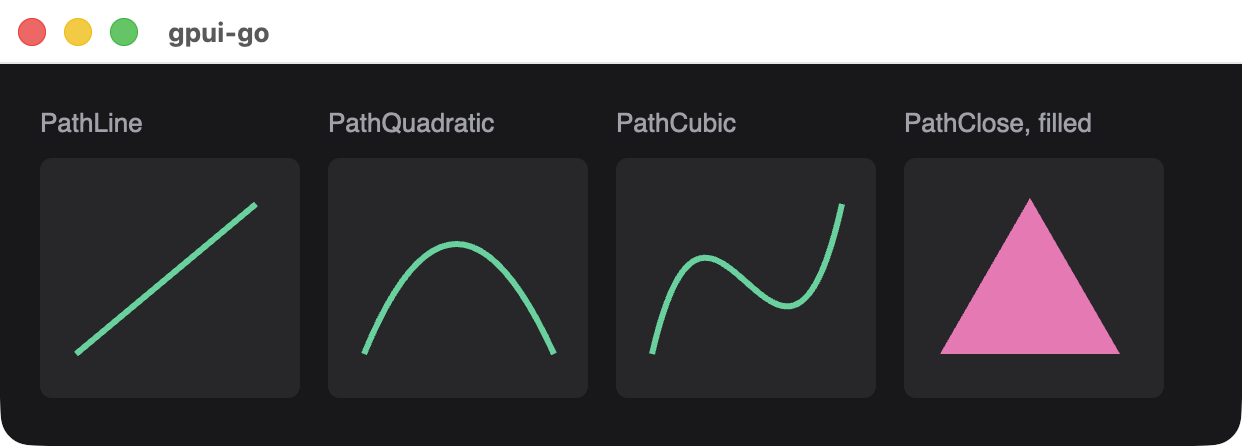
Each scene.PathStep has a Verb and the points it requires:
| Verb | Required fields | Effect |
|---|---|---|
scene.PathMove | Point | Starts a new subpath at Point |
scene.PathLine | Point | Draws a straight line to Point |
scene.PathQuadratic | Point, Control1 | Draws a quadratic curve to Point |
scene.PathCubic | Point, Control1, Control2 | Draws a cubic curve to Point |
scene.PathClose | None | Closes the subpath |
Limits
| Limit | Value |
|---|---|
| Commands per canvas | 4096 |
| Path steps per canvas, across all paths | 16,384 |
| Coordinate and size magnitude | 1,000,000 |
| Color channels | 0 to 1, finite |
Available in other APIs
Canvas is only available through scene.