Reactive nodes
ui.Document builds persistent nodes bound to signals. Each constructor takes an owner scope, which controls cleanup. Use document.Scope() for ordinary construction, and the scope a factory receives inside Show and For.
Fluent methods record errors rather than returning them. Check document.Err(), which also prevents mounting while an error is present.
Div
func (d *Document) Div(owner *reactive.Scope, children ...*Node) *NodeThe persistent form of a container. Change its children with these methods. Each validates ownership, cycles, duplicates and existing parents before changing anything:
| Method | Description |
|---|---|
SetChildren(children...) error | Replaces the children. Omitted children are disposed |
Append(children...) error | Adds children to the end |
After mounting, group direct node changes in graph.Batch, or call graph.Flush afterward. Signal updates and event handlers already provide that boundary.
Text
func (d *Document) Text(owner *reactive.Scope, value string) *Node
func (d *Document) BindText(owner *reactive.Scope, read func() string) *Node
Text displays a fixed string. BindText re-evaluates read when a signal it reads changes, and updates only that node.
label := document.BindText(owner, func() string {
	return fmt.Sprintf("Count: %d", count.Get())
})
Input
func (d *Document) Input(owner *reactive.Scope, value *reactive.Signal[string], options InputOptions) *NodeA text input bound to a string signal, in both directions. Native edits update the signal. Setting the signal from Go replaces the field's text, without recreating the native editor.
ui.InputOptions:
| Field | Type | Description |
|---|---|---|
Placeholder | string | Shown while empty |
Disabled | func() bool | Optional. May read signals, and is re-evaluated when they change |
Masked | func() bool | Optional. May read signals, so a show/hide toggle can change it. See masked input |
name := reactive.NewSignal(owner, "Ada")
field := document.Input(owner, name, ui.InputOptions{Placeholder: "Your name"})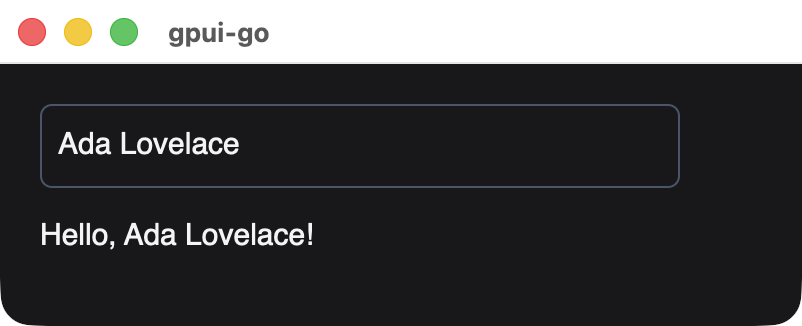
A signal bound to the field and to a BindText preview, after setting the signal from Go.
Fragment
func (d *Document) Fragment(owner *reactive.Scope, children ...*Node) *NodeGroups children without adding a native element or affecting layout. A fragment only manages children, so do not call Style, Accessible, Focusable or OnClick on it.
Show
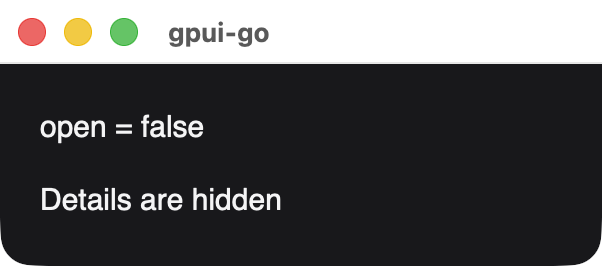
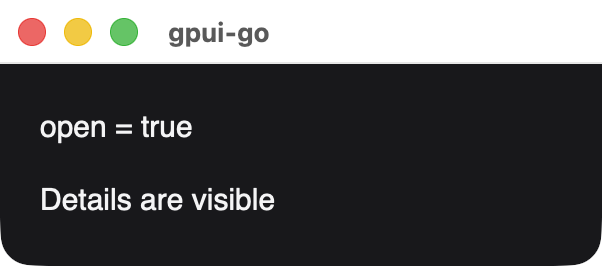
func (d *Document) Show(owner *reactive.Scope, condition func() bool, yes, no func(*reactive.Scope) *Node) *NodeRenders one branch, and swaps it when condition changes. The previous branch's scope, nodes and handlers are disposed. Either factory can be nil to render nothing. Factories run untracked, so put reactive reads inside bindings created in the supplied scope.
details := document.Show(owner, open.Get,
	func(scope *reactive.Scope) *ui.Node { return document.Text(scope, "Details") },
	nil,
)
For
func For[T any, K comparable](d *Document, owner *reactive.Scope, items func() []T, key func(T) K, render func(*reactive.Scope, *reactive.Signal[T], *reactive.Signal[int]) *Node) *NodeRenders one row per item, retained by key. The render function runs once per inserted key and receives a row scope, an item signal and an index signal. Reordering keeps native focus and selection, and removing a key disposes its row. Duplicate keys fail before any change is published, and each key must stay stable for an item's lifetime.
type Task struct {
	ID    int
	Title string
}

rows := ui.For(document, owner, tasks.Get,
	func(task Task) int { return task.ID },
	func(scope *reactive.Scope, task *reactive.Signal[Task], index *reactive.Signal[int]) *ui.Node {
		return document.BindText(scope, func() string {
			return fmt.Sprintf("%d. %s", index.Get()+1, task.Get().Title)
		})
	},
)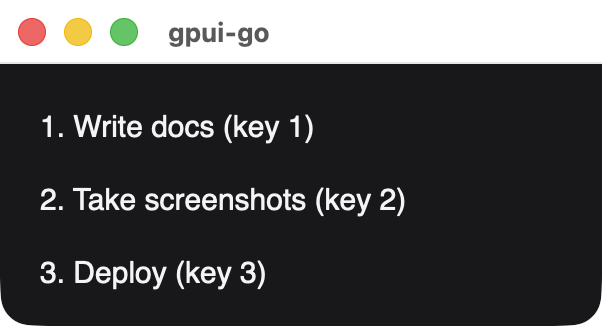
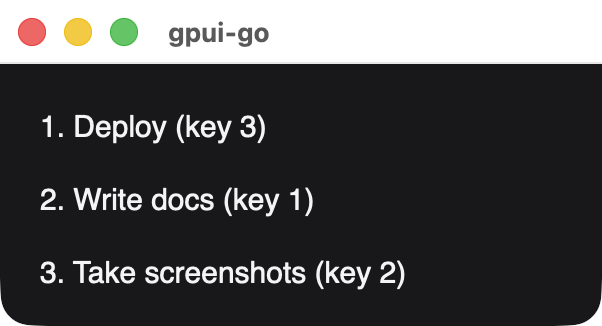
The same list after setting a reordered slice. Each row keeps its key and receives a new index.
Node methods
| Method | Description |
|---|---|
Style(style) | Sets the style |
BindStyle(read) | Sets the style from a function that may read signals |
Accessible(label, metadata) | Sets accessibility metadata |
BindAccessibility(label, read) | Sets accessibility metadata from a function that may read signals |
Focusable(index) | Makes the node focusable |
OnClick(handler) | Attaches a ui.Handler, which is batched automatically and removed with the node |
Name(name) | Registers a name for Document.Element and UI tests. Must be nonempty and unique |
ID() | Returns the stable element ID |
Scope() | Returns the node's owner scope |
Dispose() | Disposes the node, its descendants, computations and handlers |
Hover, Interact, BindKey, Animate, images, canvases and uniform lists are not available on ui nodes. Use the scene API when you need them.
Mounting
func (d *Document) OpenWindow(ctx context.Context, options client.WindowOptions, root *Node) (*Mount, error)Opens one native window for root. Close the returned Mount before shutting down the client, because disposing a graph or document does not close native windows. Mount.Window exposes the underlying window.