Node methods
These *scene.Node methods work on every element kind and return the node for chaining. For the reactive equivalents, see Reactive nodes.
| Method | Purpose |
|---|---|
Style | Sets the element's style |
Hover | Sets style changes applied while hovered |
OnClick | Attaches a click handler |
StopPropagation | Stops a click from reaching ancestors |
Focusable | Makes the element focusable |
Interact | Configures keyboard, pointer, focus and drag-and-drop events |
BindKey, BindKeyWithContext | Attaches a keyboard shortcut |
OnAction | Binds a logical action |
Accessible | Sets accessibility metadata |
Animate | Runs an opacity animation |
Proto | Returns an independent copy of the underlying protobuf element |
Style
func (n *Node) Style(style *Style) *NodeReplaces the element's whole style, so a second call does not merge with the first. Nil clears it. See Style properties.
Hover
func (n *Node) Hover(style *Style) *NodeA partial style layered over the base style while the pointer is over the element. Set only the fields that change. GPUI applies it natively, with no Go event or new snapshot. Nil clears it.
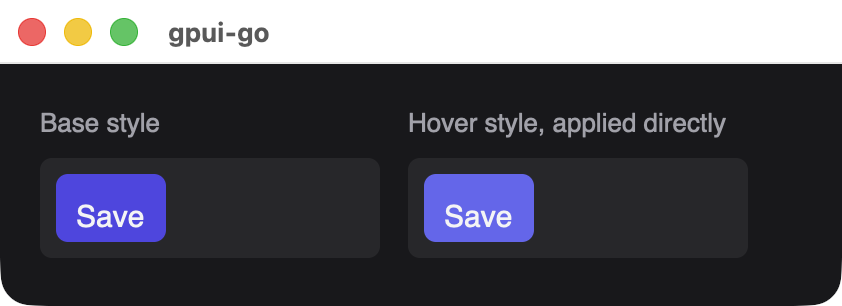
The hover color is applied as a base style here, to show what Hover produces.
OnClick
func (n *Node) OnClick(handlerID uint64) *NodeAttaches a handler registered with app.OnClick. The event's GetClick() carries the details, and a click captured from an obsolete view revision is discarded. See Events.
save := app.OnClick(func(ctx context.Context, event *client.Event) error {
	return nil
})
defer app.RemoveHandler(save)

node := scene.Div(1, scene.Text(2, "Save")).OnClick(save)
StopPropagation
func (n *Node) StopPropagation() *NodePrevents ancestors from receiving the click. Rust applies this synchronously, so a Go handler cannot decide it later. Call it after OnClick, because calling it first panics.
Focusable
func (n *Node) Focusable(tabIndex int32) *NodeMakes the element focusable, from a click or Tab navigation. tabIndex is from -1 to 32767, and -1 keeps the element focusable but out of the Tab order. Move focus from Go with Window.Focus(ctx, element).
Text inputs are always focusable.
Interact
func (n *Node) Interact(options *Interaction) *NodeDeclares which events the element reports. Each field below takes a handler ID from app.OnEvent, and zero means off.
| Field | Reports | Requires focus |
|---|---|---|
KeyDown, KeyUp | Key presses and releases | Yes |
FocusChanged | Gaining or losing focus | Yes |
MouseDown, MouseUp | Left, right and middle buttons | No |
MouseMove | Pointer movement | No |
Scroll | Wheel and trackpad scrolling | No |
FileDrop | Files dropped from the operating system | No |
DataDrop | An in-process drag dropped here | No |
The other fields configure behavior:
| Field | Type | Description |
|---|---|---|
Focusable | bool | Required when the element uses KeyDown, KeyUp, FocusChanged or key bindings, except on a text input |
TabIndex | int32 | -1 to 32767, as for Focusable |
KeyContext | string | Context name for key binding predicates, at most 256 bytes |
StopPropagation | bool | Stops every reported interaction event at this element |
Drag | *scene.DragData | Makes the element a drag source |
AcceptDropKind | string | Only accepts in-process drops of this kind. Empty accepts any |
Call Interact first
Interact replaces the element's whole interaction configuration, including what Focusable and BindKey set. Call it before those methods, or set the same options in the Interaction value.
pressed := app.OnEvent(func(ctx context.Context, event *client.Event) error {
	if key := event.GetKeyDown(); key != nil {
		fmt.Println("key:", key.Key)
	}
	return nil
})

node := scene.Div(1).
	Interact(&scene.Interaction{KeyDown: pressed}).
	Focusable(0)
MouseMove can report at a high rate. The unacknowledged event queue holds 1024 events, and overflowing it is a protocol error, so make sure event dispatch keeps up.
Drag and drop
dropped := app.OnEvent(func(ctx context.Context, event *client.Event) error {
	if drop := event.GetDataDrop(); drop != nil {
		fmt.Printf("%s: %s\n", drop.Kind, drop.Payload)
	}
	return nil
})

source := scene.Div(1, scene.Text(2, "Drag me")).Interact(&scene.Interaction{
	Drag: &scene.DragData{Kind: "task", Payload: []byte("42"), Preview: "Task 42"},
})
target := scene.Div(3, scene.Text(4, "Drop here")).Interact(&scene.Interaction{
	DataDrop:       dropped,
	AcceptDropKind: "task",
})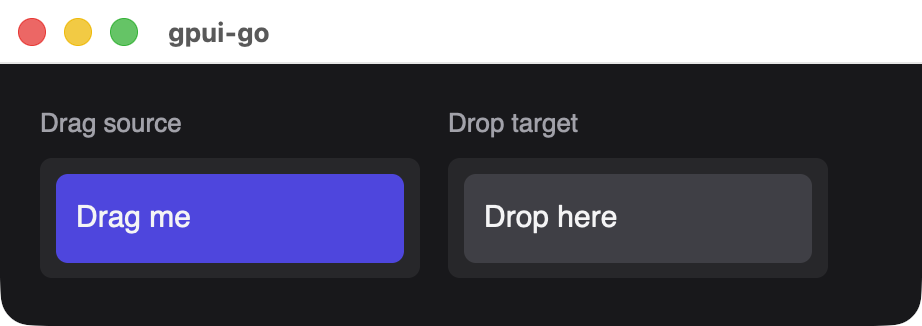
scene.DragData has a required Kind of at most 256 bytes, a Payload of at most 64 KiB and a Preview of at most 4096 bytes, which is the text shown while dragging.
BindKey
func (n *Node) BindKey(keystroke string, action *Action, handlerID uint64) *NodeAttaches a shortcut that is active while focus is on this element or inside it. Join modifiers with hyphens, such as cmd-k, and separate the strokes of a chord with a space, such as cmd-k cmd-s. The element becomes focusable automatically, and the shortcut does not propagate further once it matches.
increment := app.OnEvent(func(ctx context.Context, event *client.Event) error {
	fmt.Println("action:", event.GetAction().Name)
	return nil
})

node := scene.Div(1, scene.Text(2, "Press Cmd+K")).
	Focusable(0).
	BindKey("cmd-k", &scene.Action{Name: "increment"}, increment)
scene.Action has a Name from 1 to 256 bytes and an optional Payload of at most 64 KiB. Rules per element: at most 128 bindings, each keystroke and context pair is unique, and one action name always uses one handler. Keystrokes are at most 128 bytes, and an action must not be nil, which panics.
BindKeyWithContext
func (n *Node) BindKeyWithContext(keystroke, predicate string, action *Action, handlerID uint64) *NodeLike BindKey, with a GPUI keymap predicate of at most 1024 bytes, evaluated against the KeyContext values along the focus path.
node := scene.Div(1).
	Interact(&scene.Interaction{KeyContext: "Workbench"}).
	BindKeyWithContext("cmd-k cmd-s", "Workbench", &scene.Action{Name: "save"}, handler)
OnAction
func (n *Node) OnAction(name string, handlerID uint64) *NodeBinds a logical action with no keystroke, for native menu items and for Window.DispatchAction(ctx, element, name, payload).
Accessible
func (n *Node) Accessible(label string, metadata *Accessibility) *NodeSets the accessible name, at most 4096 bytes, and optional metadata. Nil metadata clears it and keeps the label. Screen-reader output has not been validated yet.
scene.Accessibility:
| Field | Type | Description |
|---|---|---|
Role | scene.AccessibleRole | Required, and must not be RoleUnspecified |
Description | string | Longer description, at most 4096 bytes |
Selected | *bool | Selection state |
Expanded | *bool | Expanded state |
Checked | *bool | Checked state |
Value | *string | Current value as text, at most 4096 bytes |
Roles are RoleGeneric, RoleButton, RoleCheckbox, RoleTextInput, RoleText, RoleList, RoleListItem, RoleLink, RoleImage, RoleSlider and RoleDialog.
node := scene.Div(1, scene.Text(2, "Notifications")).
	Accessible("Notifications", &scene.Accessibility{
		Role:    scene.RoleCheckbox,
		Checked: scene.Ptr(true),
	})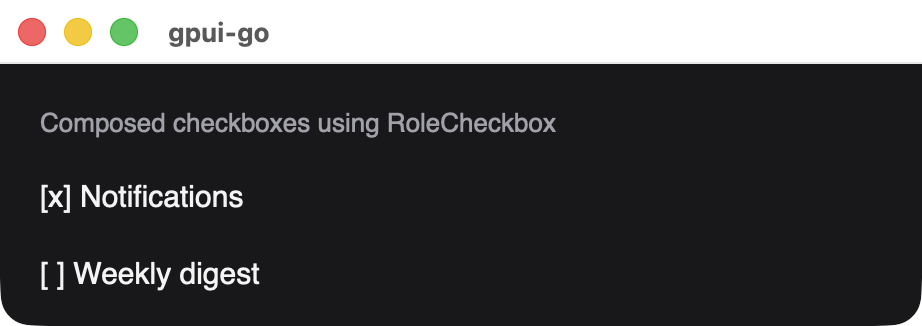
Roles and state are metadata. The visible checkbox marks are ordinary text in this sample.
Animate
func (n *Node) Animate(animation *OpacityAnimation) *NodeRuns a native opacity animation, the only animated property at present. Nil clears it.
| Field | Type | Description |
|---|---|---|
DurationMs | uint32 | From 1 to 600,000 |
From, To | float32 | Opacity from 0 to 1 |
Repeat | bool | Loops the animation |
Generation | uint64 | Change this value to restart the animation |
node := scene.Div(1, scene.Text(2, "Saved")).Animate(&scene.OpacityAnimation{
	DurationMs: 300,
	From:       0,
	To:         1,
})